Category Archives: Fraud and Phishing

Google to support Common Mark Certificates for BIMI

We’ve discussed the value and difficulties of BIMI in the past, but it appears that there is some growing support for the standard that might make it more relevant to small and medium businesses – Google has announced that it will support Common Mark Certificates and display the BIMI logo for companies opting this route.

What is BIMI?

BIMI is an Internet standard for taking ownership of email and securing your outbound brand that also provides clear indication of trust by displaying the Brand Owner’s Logo in the UI of the email client. To have your Brand Logo displayed by your email, you need:

  • To be DMARC compliant
  • To have DMARC policy of Reject
  • To have a compatible BIMI logo in DNS
  • To have certified ownership of that brand logo

The big value of BIMI is that the logo in the UI provides reassurance that the email does indeed come from you and that you are a trusted sender.

Why is this a big deal?

Until this announcement, the only type of certification for brand ownership was a Verified Mark Certificate (VMC). VMC’s initially cost between $1000 and $1500 per year, per domain and required the owner to obtain an official government trademark on the logo and branding. If you broke your email across multiple domains or manage multiple sending brands, a VMC could get expensive quickly. In addition, many smaller businesses would find governmental registration of their trademark difficult, and the expense might price them out of the verification altogether.

Common Mark Certificates (CMC) are another method of certifying your logo and protecting your brand from being used in fraud and phishing, while providing the benefit of display in the recipients’ inboxes. Because CMC’s do not require official trademark, the hope is that CMC’s will reduce the cost of certification and broaden support and use of BIMI.

The Caveat

Don’t rush out today and grab a CMC. Why? Because you can’t. The BIMI workgroup only announced support recently and vendors have yet to define the product and pricing for a CMC. Most likely pricing will be very similar to that of a VMC, so even with the “greater flexibility” to obtain a mark certificate, the cost might be prohibitive.

How can MxToolbox Help?

Regardless of whether or not you are adopting BIMI, adopting DMARC and getting DMARC to a strict policy is imperative for good email delivery.  MxToolbox Delivery Center has everything you need to improve your email delivery:

  • Manage SPF, DKIM, DMARC to improve compliance and reduce the threat of fraudsters and phishing campaigns using your domain. DMARC will get you prepared for BIMI.
  • Review daily volume and SPF, DKIM, and DMARC compliance rates to ensure the best email deliverability.
  • Gradually move your DMARC policy to “Reject” to enable better inbox placement opportunities and reduce the risk of phishing and fraud using your domain. Also, it is the next step to become BIMI compatible
  • Check and maintain your BIMI setup, including certificate configuration and alerts to when certificates will age out.

We also provide free tools!  To get started with BIMI, check out our Knowledge Base and free BIMI Lookup tool.
Business Email Compromise (BEC) Fraud on the Rise

Cybercriminals are a major threat to business email. Through various business email compromise (BEC) scams, these fraudsters can cause irreparable financial and reputational damage to your company. With BEC on the rise, protecting your inbound (and outbound) messages is vital to your company’s success and longevity of its brand.

What Is Business Email Compromise (BEC)?

BEC attacks are financial in nature and target organizations of all sizes. The gist of a BEC scam is a fraudster pretends to be someone at the executive level, then convinces an unsuspecting employee to help them wire funds outside of the company. BEC compromises often use publicly available information, phone calls and emails from domains that are similar in nature to the target company. For example: targeting MxToolbox.com with an email from MxTooŀbox.com. Look closely.

Loss numbers are frequently significant, and it’s a very appealing tactic for scammers looking to get rich quick.

Unreported BEC (Needed?)

Many instances of BEC fraud go unreported because few companies want to admit that they fell victim to a scam. As a result, cases are typically hidden until court proceedings. It’s difficult to gauge how much money is actually lost to BEC scams per year, but the estimates are astronomical.

Common Types of BEC Attacks

According to the FBI, there are five common types of BEC scams:

Email Account Compromise

In an email account compromise attack, an employee’s email account is hacked and used to request payments from vendors. The money is then sent to attacker-controlled bank accounts.

Vendor Email Compromise

Companies with foreign suppliers are common targets of vendor email compromise. Attackers pose as suppliers, request payment for a fake invoice, then transfer the money to a fraudulent account.

CEO Fraud

Scammers impersonate the CEO or executive of a company. As the CEO, they request that an employee within the accounting or finance department transfer funds to an attacker-controlled account.

Lawyer Impersonation

Fraudsters pose as a lawyer or legal representative, often via email. The common targets of these attacks are lower-level employees who might not have the knowledge or experience to question the validity of an urgent legal request.

Data Theft

Data theft attacks typically target HR personnel to obtain personal information about a company’s CEO or other high-ranking executives through emails. The attackers can then use the received data in other future attacks, such as CEO fraud.

Tips to Avoid BEC Scams

Because email is such a critical aspect of your business, a single compromised account is all it takes to financially damage your company and its brand. Here are some tips on how to stay protected and secure:

  • Carefully scrutinize all emails. Be wary of irregular emails that are sent from C-suite executives, as they are used to trick employees into acting with urgency. Review emails that request transfer of funds to determine if the requests are irregular.
  • Educate and train staff. While employees are a company’s biggest asset, they’re also usually its weakest link when it comes to security. Commit to training them according to the company’s best practices. Remind all that adhering to company policies is one thing, but developing good security habits is another.
  • Confirm any changes in vendor payment location by using a secondary sign-off by company personnel.
  • Stay updated on your customers’ habits, including the details and reasons behind payments.
  • Verify requests for transfer of funds when using phone verification as part of two-factor authentication.
  • If you suspect that you’ve been targeted by a BEC email, immediately report the incident to law enforcement or file a complaint.

How Can MxToolbox Help? (DMARC)

DMARC helps secure your company’s email platform and fights to protect against BEC scams. By implementing DMARC checks on inbound email and educating employees, the prevalence of online fraudsters and their BEC cons can be minimized. In addition, Implementing DMARC on outbound email will reduce of your brand being used in a BEC scam, potentially damaging your business reputation.

At MxToolbox, our email experts have created several tools and services to safeguard your business and increase its email deliverability. Check out our various products to help protect your company’s email reputation.

Google expands support for BIMI: Is it time to dive in?

Google recently rolled out additional support for BIMI through their Gmail.com webmail application and mobile apps.  Since Google is one of the largest Inbox Providers in the world, this should be an exciting step forward for BIMI and for Marketers wanting to reach potential customers.  (For more information on BIMI, click here.)

Google’s Implementation

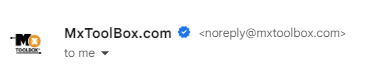
On Gmail.com and Google mobile applications, users will see a checkmark and BIMI logo next to an opened email as in the image below.  In addition, Google mobile applications will display the logo next to the sender in the Inbox view by the subject line.  BIMI logos should lead to an uptick in Open Rates and Click-through Rates because of additional confidence in the “certified” origins of these emails.

In order to have your logo displayed, Google requires you to:

  1. Setup SPF, DKIM and DMARC
  2. Have a DMARC Policy set to 100% Reject for email failing DMARC
  3. Generate and post a correct BIMI logo
  4. Have a Verified Mark Certificate (VMC)

The first two steps will dramatically improve a sender’s email delivery and email reputation.  Adopting DMARC gives Inbox Providers more assurance that your email is legitimate and not spam, while a strict DMARC policy prevents your email domain from being used in phishing and fraud attacks.  A VMC is designed to protect both Google and your brand by certifying the owner of the logo and domain.  Unfortunately, a VMC costs roughly $1100-$1500 annually per Email Sending Domain, which makes it expensive for many small businesses.

What other Inbox Providers support BIMI?

The BIMI working group has a list of all current Inbox Providers that support BIMI.  The good news is that big, global Inbox Providers like Apple, Yahoo!, and now, Google support BIMI as do several smaller or local providers like Fastmail and LaPoste.  This list appears to be growing.

Unfortunately, consistent logo display is an issue.  Many Inbox Providers only have partial support for BIMI or support different rules for displaying BIMI logos online vs via mobile applications.  In addition, many providers do not support BIMI logos in the Inbox view, where most people make the decision on whether or not to open the email.  This reduces the impact to Open Rates and subsequent downstream effects, like Click-through rates and Sales.  

MxToolbox Expert Take

Increased support for BIMI is a great sign for the technology.  After over four years of moving glacially forward, we’re hopeful that this will increase the pace of BIMI adoption.  To a Marketer, the idea of having your logo proudly displayed next to your verified email in the Inbox both increases the chance of the recipient opening the email and improves the reputation of the brand. 

There are Drawbacks

However, the current level of support does not entirely live up to that promise: few Inbox Providers display the logo in the Inbox where Open Rates will be affected. In addition, the extra expense associated with a Verified Mark Certificate might be considered burdensome for many small businesses, leaving gains to the larger businesses and brands.  While the extra security from a VMC is like that of an SSL certificate for ecommerce, the additional value BIMI provides may not be there for every brand yet.  

There are Alternatives

Finally, both Google and Microsoft already have other ways to display user images or logos in the message view of an individual email.  If the sender is a Google Workspace user, their preferred image will be displayed in the same spot as the BIMI logo.  Microsoft offers Microsoft Business Profile program to create a unique identifier card. Office Web Apps in Office 365 and Outlook.com use the verified icon provided to Microsoft when a company joins the program.  A savvy marketer might be able to get much of the BIMI effect from these alternatives.

MxToolbox Recommendation

Focus on the basics of Email Delivery: Technologies like SPF, DKIM and DMARC, and Best Practices in email list management and content relevance. Once your DMARC configuration is really set, then think about icing the cake with BIMI.  To get started with BIMI, check out our Knowledge Base and free BIMI Lookup tool.

Adopting DMARC and getting DMARC to a strict policy is imperative for good email delivery and adopting BIMI. Get started today with MxToolbox Delivery Center.

Google’s Recent SMTP Relay Exploit and DMARC Policies

In April, Google began to see an uptick in spoofing attacks that utilized their SMTP Relay system and compromised Google accounts. They have closed the loophole by May, however, at least 30,000 malicious emails were detected in a two-week period. While this is an extremely small chunk of Google’s email traffic, similar exploits can affect other outbound email providers, requiring patches and constant vigilance.

What is the SMTP Relay exploit?

Google has a great reputation as an outbound sender so email coming from their servers is generally accepted. Google allows their customers to leverage that reputation to send bulk or large quantities of email through the SMTP Relay connection. Before the fix, this enabled any Google customer to send email that looked like another Google customer by simply putting their domain in the “From:” field. For example, SmallCompany.com gets hacked by a scammer and begins to send email that looks like GreatBrand.com, a well respected company also hosted at Google.

  • Blacklists – Google rotates sending IP addresses to minimize the affects of blacklists so a blacklist will not generally catch this issue.
  • SPF Authentication – Both SmallCompany.com and GreatBrand.com have Google’s servers in the SPF record, so it passes Authentication. This might be enough to make the inbox.
  • SPF Alignment – The “From:” address says GreatBrand.com. The <ReturnPath> is SmallCompany.com so it fails SPF Alignment.

So, unless the recipients servers are configured to check SPF Alignment, the Spoofing email may make the inbox. Any brand could then be compromised by a hack to another company in the same outbound email provider.

How do you protect your brand from spoofing?

First, you might think to bring all email in-house. This just compounds your risk. Google and other outbound email providers have more security experts and experience than even most large companies can ever hope to bring to bear. A small or medium business should leverage that experience to protect their brand and get their emails delivered.

Second, adopt DMARC and SPF, and DKIM. A properly configured SPF, DKIM and DMARC setup will help prevent spoofing of your brand and give you insight into potential spoofing issues.

Finally, adopt DMARC “Reject” policies. A DMARC “Reject” policy instructs recipient providers to highly scrutinize in-bound email and reject anything that fails SPF Alignment or Authentication. A “reject” policy would immediately fail email that arrived using the recent SMTP Relay exploit.

Why are few companies adopting “Reject” Policies?

If “reject” policies are great, why aren’t companies adopting them immediately? Unfortunately, there is a lot of fear and misunderstanding about “reject” policies. Our Experts receive push-back every day from our clients. Let’s look at a few examples:

“My legitimate email might be rejected”

While it is possible for legitimate email to be rejected, it is far more likely to be accepted if you have a “reject” policy in place. Inbox providers are looking for relevant content from senders with good reputations. By telling setting up DMARC with a “reject” policy you are telling them that you value your reputation. In addition, the “reject” policy is telling them to throw out emails that might harm your reputation.

“I won’t know if a legitimate source comes online”

Maintaining good email delivery means ensuring that all your legitimate email sources are managed actively. Each source should be included in your SPF record to ensure SPF Authentication. While it is possible for a department to bring in a new 3rd party email source without telling you, these vendors will have detailed information about proper SPF configuration as part of their on-boarding process. If it still slips by, then is it really valid email? Could that rogue department be hurting your brand? Regardless, a comprehensive DMARC reporting tool, like MxToolbox Delivery Center, will alert you that a potential Verified Email Source is missing.

“I won’t know if a phishing attack occurs”

The beauty of DMARC is that by publishing a DMARC record with RUA and RUF tags, you are asking for information about the compliance of emails that come “from” your domain. Inbox providers will tell you through an XML email report. Regular reviews of these reports will give you insight into legitimate sources that fail as well as emerging email threats from phishing attacks using your brand. While you can manually parse these XML files, most companies rely on a reporting tool, like MxToolbox Delivery Center, to process and distill these files into actionable insights.

“It seems complicated…”

While it can take some time to verify your outbound email sources, ensure that SPF and DKIM configurations are correct and monitor DMARC reports to ensure that everything is properly tuned, moving to a “reject” policy is not very complicated. MxToolbox Delivery Center uses our experience with DMARC to make recommendations on when to move to a “quarantine” or “reject” policy and how much of your mail to send under that policy.

If you still find it complicated, you can leverage our Expert Managed Services to help you with your configuration.

What do MxToolbox Experts recommend?

Our team of Experts is always evaluating the newest email technologies – DMARC “reject” policies are a necessity to help improve your brand reputation by stopping phishing attacks using your brand. If more brands adopted DMARC “reject” policies, phishing attacks would be greatly reduced. It’s time for all companies to be DMARC compliant – Get Started Today!

It’s time to adopt MTA-STS

Inbox Providers like Google, Yahoo! and Outlook.com are in a constant arms race trying to protect their users from spammers, spoofers and irrelevant content. Since the late 90’s dozens of new technologies have been proposed and adopted, including: Blacklists, TLS Encryption, SPF, DKIM, DMARC, BIMI and, now, MTA-STS. With the continued progression of MTA-STS, it is now time for all domains to adopt the technology to secure inbound email and reduce the threat of spam.

What is MTA-STS?

MTA-STS is an update to TLS Encryption that allows an Inbox Provider to specify a list of secure servers to receive email and mandates a secure TLS connection to these servers. Insecure connections will not be accepted. This corrects a few of the short-comings of TLS alone: Expired TLS Security Certificates, Man-in-the-Middle Attacks and attacks that downgrade to no encryption.

How does MTA-STS Work?

When a sender wants to connect to an inbox provider or domain’s email servers to deliver email, they first query the MTA-STS DNS entry which contains the location of a policy file. The policy file is accessed via HTTPs and contains information about the correct servers to use, which must match the MX records exactly, the TLS encryption requirements, the MTA-STS policy mode and the maximum length to cache this information. Senders then encrypt communication with the servers and transmit the email.

Since the sender is required to verify the connection and it is encrypted to known servers, the sender has a slightly higher level of trust. Any sender that fails this mini test can be considered a threat.

What does MxToolbox recommend?

MxToolbox recommends that all companies setup MTA-STS for their receiving domains to inform senders that their email servers and providers accept secure message delivery using SMTP over TLS and also require that email should not be delivered using an insecure SMTP connection. When MTA-STS is enabled for your receiving domain, it requests external servers to send messages to your domain only when the SMTP connection is authenticated with a valid public certificate AND encrypted with TLS 1.2 or higher. This is a higher level of security for incoming email and should reduce spam to your domain.

In addition, you should ensure that all your domain’s email senders support MTA-STS. This includes your email server software, email marketing, and any other potential email senders: CRM, Order Management, Support, etc. Once you select a provider’s MTA-STS policy, messages sent from your domain to external servers will also comply with the standard and improve delivery.

Test Your MTA-SLS setup with MxToolbox

To help all our users get a head start with MTA-STS, we’ve created a free lookup tool as part of our SuperTool. Check your MTA-STS policy setup as well as any email sender!

Super Bowl LVI and Email Security

Super Bowl LVI in California is almost upon us, and for millions of NFL fans around the world, it’s the most exciting time of the year. Unfortunately, it’s also a great opportunity for online and offline fraud. Every year, there is a new announcement of a ticket scam or a fraudulent merchandise.

While Email Security might not be on the minds of fans or businesses preparing for the big game, it should be. Email is still number one vector for starting a hack, cyber attack or online scam. Email is one of the easiest (and cheapest) ways to distribute a message and reach an audience. For legitimate businesses, email is also one of the easiest ways to make a mistake, caught in spam traps and have you message lost. For scammers, this is the opportunity to strike with intricate phishing and spoofing campaigns.

How do Email Settings affect Security?

Email security settings, specifically SPF and DMARC records, are both key to reaching your customers and preventing your brand from being exploited by fraud and phishing attempts.

SPF allows a domain owner to declare what IP addresses are legitimate senders of email for that domain. Inbox Providers check SPF records as part of delivering email that is sent from your domain. Spoofers can easily fake sending email from your domain, but if there servers are not in your SPF records then it will fail the Inbox Provider’s checks. Correct SPF records are therefore a minimum security precaution.

In addition, your domain’s DMARC record can tell an Inbox Provider like Google, Yahoo! or Outlook.com how to treat a particular email. There are three security levels to DMARC:

  • None, meaning accept all email from my domain even if it fails SPF and DKIM checks. This has the lightest level of security for your domain and allows Spoofing and Phishing attempts to make it to your customers’ inboxes.
  • Quarantine, meaning segregate emails that fail SPF and DKIM checks to a separate folder. This means that some email from fraudsters might end up in Spam or Junk.
  • Reject, meaning straight up reject any email that fails SPF and DKIM checks. This has the highest level of protection from fraud and phishing attempts, but may mean that occasionally legitimate email is blocked.

Reject policies are great, but do require regular review of your rejected email. We highly recommend that everyone adopt a “Reject” policy as soon as possible and allocate some time to reviewing rejected email for legitimate content, as well as outbreaks of fraud and phishing attempts thwarted by DMARC.

More information on DMARC tags can be found in our help tools here.

Top Ticket Vendor Domains

If you want to attend the Super Bowl in Inglewood, your best chance for buying a face-value ticket is to be a season ticket holder of an NFL team. If you’re not a season ticket holder, getting tickets will likely require going through 3rd-party sellers and brokers.

Some of the more popular and respected ticket supplier domains include:

While all of these have a minimum security posture of an SPF record, none have a Reject DMARC policy, setting them up for potential exploitation by scammers. Consumers may need to use extra caution when opening and interacting with emails that claim to be from most online Super Bowl ticket suppliers, especially if there are tell-tales of spam.

Let’s look at a few other related online suppliers…

Top NFL Domains Used to Communicate with Fans

Top Hotel Domains Near Stadium

(source: https://hotelguides.com/california/sofi-stadium-ca-hotels.html)

Top Airline and Travel Agent Domains

Opportunities for Improvement

Unfortunately, it appears that many domains are not fully protected by SPF and DMARC records, meaning that consumer safety is up to the Inbox Provider and the consumer themselves. Email hackers and online scammers are ready to take advantage of any companies that aren’t safeguarded against attacks. The Super Bowl is just a single yearly event to exploit, but smaller businesses are also susceptible and less likely to recover. Adopting SPF, DKIM, and DMARC is both critical and inexpensive.

If you are a business owner, now is the time to improve your outbound email security by adopting SPF, DKIM and DMARC. It will improve your email delivery and safeguard your brand against Fraud and Phishing attempts.

If you are a consumer, businesses are slowly adopting DMARC, so until then, keep vigilant about the email you receive!

Roadrunner Emails are being targeted by Spammers

We have recently seen an uptick in complaints from Roadrunner Email users. It appears that many inbox users are receiving emails that appear to be from MxToolbox.com or use links back to mxtoolbox.com. The issue is appears to be that Spammers are using an Unsubscribe link that points to mxtoolbox.com. We are not sending these emails. We suspect that this is either a failure of DMARC email processing at RoadRunner or, more likely, an Inbox Provider Insider Scam.

How to recognize Spam, Fraud and Phishing attempts

We highly recommend everyone read our post on Recognizing Fraud and Phishing Emails, but here are a few key points:

Spam and Phishing Characteristics

  • There is a financial incentive or free product
  • There is an overwhelming sense of urgency
  • The origin is a company with which you have no connection
  • The subject line is strange or hyperbolic
  • You googled the company and that’s not the business they are in

If you think it’s spam or phishing?

  • Don’t open it unless you must 
  • Don’t click on any links
  • Don’t unsubscribe 
  • Mark it as Junk with your Email Provider

How DMARC affects email acceptance

DMARC policies instruct an Inbox Provider (think gmail.com, yahoo.com or rr.com) how to process email that fails to meet DMARC compliance tests. These tests include:

  • Determining if the sending IP address is designated by the sent from Domain – SPF Compliance
  • Determining if the send included a valid cryptographic signature in the email header – DKIM Compliance

If an email is DMARC compliant, then it may be sent from a legitimate sender. If not, then it could be considered spam. A “Reject” DMARC policy, like the one MxToolbox uses instructs Inbox Providers to reject any email that fails DMARC compliance tests. If an Inbox Provider is passing email from a non-compliant source despite a reject policy, this is a problem for their users.

What Inbox Providers should do

Inbox Providers generally pay attention to the DMARC policies of sent externally. They do this for two reasons:

  • Admitting non-DMARC compliant email increases the risks of spam email making it to their users. Blocking spam before it makes it the user is both a good security measure for users and a good selling point for the provider.
  • Admitting non-DMARC compliant email increases the costs of email storage. Each spam email is small, but take as a whole, they make up more than 50% of email traffic. Doubling storage is expensive if you don’t have to.

However, some Inbox Providers may only be looking at external email, and not email sent from other Inboxes in their network. This is a mistake that we call an Inbox Provider Insider Scam.

What Roadrunner users should do

We encourage any user receiving spam that appears to be from us to let us know! Contact Us on our site and include examples so that we can track down the issue.

You can also report the spam to Roadrunner, with the actual spam email so your admins can block the messages. Demand better inbox protection from your Provider.

Is Email Secure?

Yes and No. Email is a highly valuable tool that has evolved to be more secure, but there are still ways to exploit email for nefarious purposes. Email users should be careful with how they use email and the emails they respond to. Let’s look at email security in more detail.

A Little History

Electronic mail originated on the early experimental Arpanet, the precursor to the Internet. At that point, all the interconnected servers were within high-security facilities. Since the security was on the outside, researchers did not consider protocol security; everything was sent in clear text – HTTP for browsing documents, FTP for sharing data files, and SMTP for electronic communications. When the Arpanet opened up to universities and then to businesses and private users, those same protocols were still transmitting data and passwords in clear text. Unfortunately, clear text communications are susceptible to man-in-the-middle attacks – corrupted computers or routers between the two computers in communication.

The early Internet was not secure, so new technologies were developed to improve security:

  • HTTPS to secure online transactions involving credit cards
  • SFTP to secure file transfers (now replace by HTTPS in many cases)
  • TLS to encrypt email communications between email servers

With the adoption of TLS, Transport Layer Security, email was secured from potential man-in-the-middle attacks. However, there are other ways to exploit email.

Alternate Technologies

There were other technologies that attempted to “secure” email communications, all had various degrees of success, but none of them have really gone mainstream.

  • PGP, or Pretty Good Privacy, used a Public-Private encryption key system to encrypt and decrypt email. Email was completely secure in transit, and from administrators, but unfortunately, PGP was bulky to use. TLS solved the problem of securing communication between servers without the user needing to do anything.
  • “Secure” Email Servers are web servers where communication could be secured behind a password protected web login. It was not really email but a way to communicate in an email-like fashion. You often see these secure communications websites with Legal and Medical professions, but they suffer from bulky interfaces and the inconvenience of going somewhere other than your normal email applications to view the communication.
  • Sender Verification Services respond to an unsolicited email with an email demanding the sender verify their identity. The goal here is to reduce the potential for spam and phishing attempts by creating a hurdle for senders to jump. The inbox provider then only passes on “verified” email to the user. This technique essentially removes any automated email, including newsletters, as marketing teams are unable to monitor the verification email. The downside is that a legitimate sender may not register so you miss important email.

The Threat of Spam and Phishing

Email is the #1 preferred method for perpetrating online scams. The marginal cost of sending an email is negligible and the rewards for a successful scam can be thousands or millions of dollars. According to Cisco, approximately 84% of all email is spam, much of which is phishing scams and much also escaping spam filters. By that measure, email is not “secure”.

“Securing” Email

Improving email security is not a single technology or vendor but involves changing business processes, adopting new standards and continuously adapting to the ever-evolving landscape of email scams. Some recommendations:

  • Stop hosting your own email – Inbox providers like Gmail, Office365, Yahoo!, etc. have dedicated teams to managing and blocking spam and phishing. Most businesses would benefit by leveraging these external experts and outsourcing email inbox services.
  • Turn on 2-factor authentication – Securing email communication, both sending and receiving, means securing access to email accounts. 2-Factor Authentication helps make email more secure.
  • Invest in Spam and Phishing Awareness Training – Email scams exploit human weakness through social engineering to gain access to your email, bank accounts and secure data. Training your team to recognize these scams will improve your email security.
  • Leverage DMARC and supporting technologies – SPF, DKIM, DMARC and BIMI work hand-in-hand to 1) declare who can send email on behalf of a domain, 2) digitally sign email from that domain, 3) report compliance to the sending domain, and 4) apply a corporate logo to compliant email. When a domain leverages these technologies, it is secured against being used in spam and phishing attempts and gives the recipients peace-of-mind that the email is genuine.

To maintain the highest levels of email deliverability using DMARC, businesses like yours need a proven Email Delivery management system like MxToolbox Delivery Center.  Delivery Center provides you with valuable insight into your email delivery posture and the ongoing maintenance necessary to maintain peak performance:

  • Manage SPF, DKIM, and DMARC (and BIMI) to improve compliance and reduce the threat of fraud and phishing using your domain.
  • Review daily volume and SPF, DKIM, and DMARC compliance rates to ensure the best email deliverability.
  • Implement Feedback Loops to gain unique information on how your recipients view your emails and when they mark you as spam.
  • Gradually move your DMARC policy to Reject to enable better inbox placement opportunities.
  • Manage the on-going requirements of maintaining high levels of email deliverability

On-Premise Email Security Best Practices

If your company strategy requires on-premise email management, then there are some best practices you can adopt:

  • Use Inbound Email filtering gateways – Out of the box inbound filtering either software or hardware will block most threats using threat detection algorithms. Basic gateways block blacklisted senders. More advanced options allow you to write your own acceptance policies.
  • Create Advanced Acceptance Policies – Your business is unique. Threats come in many forms. Maybe you want to filter all incoming image files or executables or maybe eliminate objectionable terms associated with risks. Sophisticated algorithms might help protect your business.
  • Accept only DMARC compliant email – One great idea that Google has pioneered is prioritizing DMARC compliant email. If you do the same, you dramatically reduce the potential for fraud and phishing emails making it to your users.
  • Setup Outbound Email filters – You do not want to become a source of spam, so setting up filters to control outbound email will reduce the risk of being blacklisted or of sending spam emails within your network.
  • Setup Advanced Outbound Policies – Advanced policies could include forcing the legal team to encrypt all outbound email or prevent emailing large files, executables, etc. Leveraging advanced policies will help make using email more secure.
  • Setup DMARC for all outbound email sources – Adopting DMARC for all your outbound email sources will help you protect your sending reputation and reduce the risk of your domain names being used in spam.
  • Invest in Spam and Phishing Awareness Training – As mentioned above, when employees are trained to recognize spam and phishing attempts, they are less likely to click on dubious links in spam and phishing attempts or click on and install malware.

While email was not initially designed with security in mind, new technologies are improving the security posture of email. Adopting these as they arise makes your business more secure and protects your users, clients and partners.

Inbox Provider Insider Junk Scams

Inbox Providers work hard to stop email fraud and phishing scams from outside. Google, Yahoo! and Office365.com all utilize a mix of algorithms that include Blacklists, SPF, DKIM and DMARC compliance, Spam scoring and Relevance scoring to make inbox placement decisions. However, scammers have found an interesting loophole, by sending the spam from the Inbox Providers servers.

How does an Insider Scam work?

The trick to sending spammy email from within an Inbox Provider’s network is first to compromise an existing email box on the provider’s servers. This can be surprisingly easy! Google, Yahoo! and Office365.com have Millions of users. Corrupt one email box and a spammer can easily send email to every user on every domain that uses the Inbox Provider’s network. For example:

  • An email from a corrupted Gmail account never leaves the Gmail network when sent to Gmail Inboxes so the email may skip other Gmail spam safeguards like content scanning and Junk/Spam folder analysis.
  • An email sent from a Gmail account passes Blacklist, SPF, DKIM and DMARC for every domain using Gmail to send email, including emails sent outside the Gmail network, giving these emails a level of trust. A corrupted Gmail account therefore has the clout of Gmail behind it.

Inbox Providers have traditionally looked at Spam and Phishing as an external threat. With the transition of email from on-premise to cloud-based solutions, internal threats with compromised accounts will force Inbox Providers to change and adopt Internal Spam and Phishing analysis algorithms.

What can you do to protect your users?

You email users need to be aware that incoming email cannot be 100% trusted, even when using a reputable Inbox Provider. Invest in Fraud and Phishing training for your staff will raise awareness and help break some of the apathy with regard to security. Read up on more ways to recognize and combat Fraud and Phishing in our previous blog entry.

What can you do to protect your outbound email?

If you are not monitoring the quality of your outbound email, you are at risk for accidentally sending Fraud and Phishing emails from your Inbox Provider and other email sources. Every business should be monitoring Blacklisting, and SPF, DKIM and DMARC compliance from all email sources. With DMARC reporting, you receive feedback on how much of your email is passing SPF, DKIM and DMARC compliance to know how likely your email will make it to the Inbox of your recipients. MxToolbox Delivery Center provides all the information you need on email from your domain.

However, DMARC reporting and Strict DMARC policies will not prevent an Inbox Provider Insider attack using your domain name. For that, you need to use another feature of MxToolbox Delivery Center, Feedback Loops. Feedback Loops provide direct feedback from email recipients at different Inbox Providers on how each recipient views the email they received from you – Did it look like Spam, Phishing or Unsolicited Email? Did they unsubscribe?

Soon, Inbox Providers will implement algorithms to protect their users, scammers will find new ways to exploit your users and your domain for their own gain. In the meantime, beware the Inbox Provider Insider scams.

What’s in my Inbox? Recent Spam and Phishing attempts

Until social engineering fails as an exploit or it becomes unprofitable to scam companies and individuals via email, there will be Spam and Phishing. Spam and Phishing now accounts for more than 50% of global email traffic and has a diverse portfolio of subjects, origins, support websites and exploit software. Rather than getting overly technical, lets discuss the Junk in our own Inbox.

What’s Junk in My Inbox?

My Spam

I get some really boring spam. Home Warranties, Insurance, Credit and Retirement planning offers are the majority of my trash, but I get some interesting consumer spam around Wild Seafood and Diet Chocolate. Why seafood and diet chocolate? I have no idea. I only moderately like seafood and hate low-end chocolate. The rest make tremendous sense – all of them have a significant financial impact.

Keys to Recognizing Spam and Phishing

  • There is a financial incentive
  • There is an overwhelming sense of urgency
  • There is a need to login or check on your account – immediately
  • The origin is a company with which you have no connection
  • The subject line is strange or hyperbolic
  • Something is offered free

If you think it’s spam or phishing?

  • Don’t open it – Legitimate emails track open rates, and so do spammers. Fraudsters know who is a decent mark if you open it.
  • Don’t click on any links – In addition to showing the spammer that you are game, they’ll now have the opportunity to try to get you to download malware, provide login details or give them your credit card.
  • Don’t unsubscribe – You just told them that your email address is valid. Spammers will use it in other attempts. They are constantly refining their pitch and you just told them one of them failed.

Things you can do…

  • If you suspect this is a legitimate communication from a website you actually use – You can go directly to the website. Don’t click the email link, instead, Google the domain or go directly to the .com.
  • If you think it is a scam – Google the subject line or the sender. If it’s a scam other people may have questions about it and many security companies keep lists of spam subject lines.
  • If you must open it – You can Google some of the content or URLs in the content. That will give you information on the potential for scam. You can also use MxToolbox’s Spam Analyzer as a gauge to test the spaminess of the email.
  • Mark it as Junk – Every Inbox Provider has a method to mark an email as Junk or Spam. This feeds into their algorithms to detect new Junk and Spam. Marking it gives your Inbox Provider additional information in their pursuit of a Spam-free inbox.